Visual communication is going through a fundamental transformation in 2026. Artificial intelligence (AI) ever more markedly affects the way digital design is created and, of course,…
Visual communication is going through a fundamental transformation in 2026.Artificial intelligence (AI) ever more markedly affects the way digital design is created and, of course, vector graphics too, which are a key element in creating logos, icons and illustrations. What in the past demanded hours of a professional designer's work and thorough mastery of complex tools is today handled by AI within seconds.
Genuinely. Thanks to AI tools such as Recraft, Canva AI or Adobe Illustrator, even a beginner can create quality visuals fully usable for the web, print or social media. Grasping how AI helps designers matters today not only for designers but for businesspeople, marketers and content creators too. AI vector tools let you create more effectively, faster and often more affordably than classic ways of graphic design.
We will explain what vector graphics are, how they work and why the vector format is exactly the ideal one to join with artificial intelligence (AI). At the same time we will look at how modern AI graphics generators work. You will find out what specific benefits AI tools bring professional designers and we will show you practical examples of using the combination of AI and vector graphics in real situations.
What vector graphics are and why AI is moving them forward
Vector graphics are a type of digital image created using mathematically defined points, lines and curves. That means every shape in the image is described exactly by coordinates and calculations, thanks to which it can be enlarged or reduced at will without losing quality. That is exactly why vector graphics are used above all in creating logos, icons, illustrations, typography and brands' visual identities.
Conversely, raster graphics (for instance the JPG or PNG formats) are made up of a grid of pixels. Every pixel contains colour information, and when such an image is enlarged beyond its original resolution it starts to be blurred or, in everyday terms, "blocky". The difference between these two types of graphics is fundamental above all in professional use.
It is exactly vector graphics' technical nature that is the reason artificial intelligence (AI)today moves them to a new level. The vector format naturally suits AI because it works with precisely defined shapes and curves that can be generated, adjusted and optimised algorithmically. One of the main advantages is simple editing. If AI creates a vector object, a user can then change its colour, size, proportions or individual points without the result's quality falling. Another benefit is AI's ability to generate geometric shapes effectively.
Since vector graphics are based on mathematics, artificial intelligence algorithms can create symmetrical, proportionally balanced, visually consistent shapes very accurately. No less important is the option of exporting to various vector graphics formats such as SVG, PDF, EPS or AI. These formats ensure universal use of the outputs. Combined with AI, a powerful tool thus arises that allows professional visuals to be created quickly without technical restrictions.
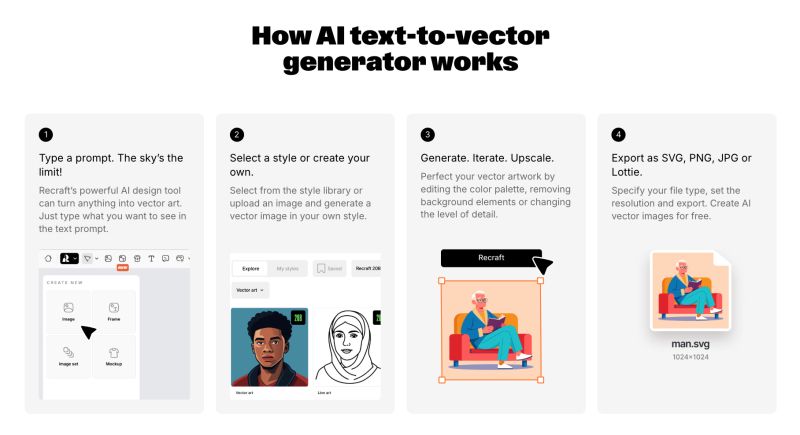
AI graphics work on the principle of machine learning and neural networks trained on millions of visual data. These models can on the basis of a text brief (a so-called prompt), a reference image or a simple sketch automatically create new graphics. In the case of vectors it is about generating shapes, curves and objects that are mathematically defined and fully editable.
Put simply, a user enters a requirement and the AI tool creates a design that can be adjusted or exported at once as vector graphics. This process eliminates the need to draw manually from scratch and markedly shortens the time it takes to create graphics.
Modern AI graphics generators today can:
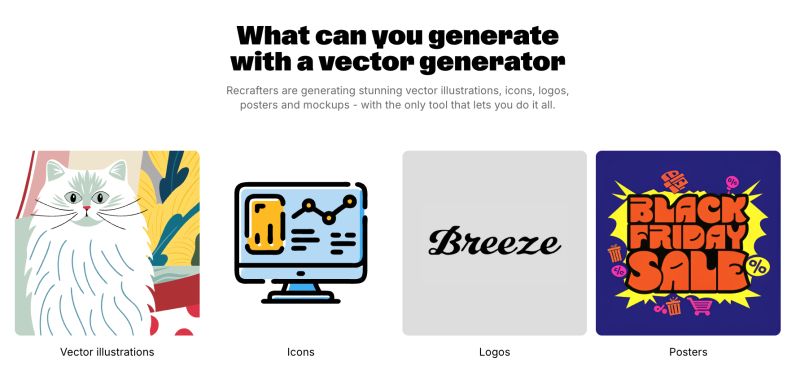
Generate illustrations in a chosen style,
automatically convert raster graphics into vector,
adjust colour palettes according to a brand,
create series of visuals in the same visual language.
Among the best-known tools allowing vector graphics to be generated using AI are:
Canva AI – an intuitive tool suitable for beginners that lets you generate logos, icons and simple illustrations with the option of exporting to SVG.
Microsoft Designer – an AI solution aimed at quickly creating marketing visuals and digital materials.
Vectary – a tool combining 3D and vector graphics with support for AI generation.
RunwayML – a creative platform using AI in working with images and visual content.
Recraft – a specialised AI tool for generating fully editable vector illustrations, which lets you create series of images in a unified style or according to your own colour settings.
Lovable – a modern AI tool aimed at quickly creating visual concepts and graphics without needing advanced design knowledge.
The advantage of these tools is that they join automation with flexibility. A user gets a design within a few seconds but at the same time keeps control over the final look. AI generating vectors thus represents an effective joining of creativity and technology. It allows fast production of visuals without compromising on quality and opens the door to those who have no professional experience of graphic design too.
Why is AI ideal for creating vector images?
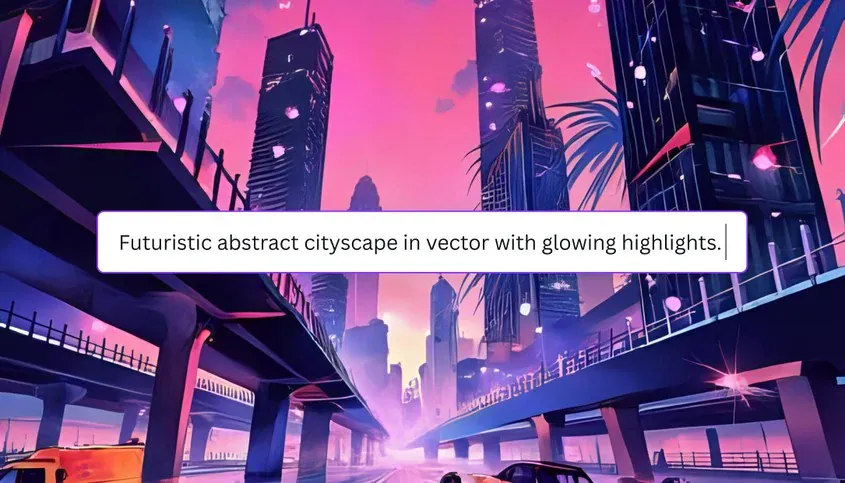
One of the greatest advantages is AI's ability automatically to generate logos, icons, characters and illustrations on the basis of a simple text brief or reference style. A user can, for instance, enter a request for a "minimalist technology logo in blue" or a "flat illustration of a character in a modern style" and AI will create a design within a few seconds. This process markedly shortens the time otherwise ordinarily needed for brainstorming, sketching and initial proposals.
When creating icons and visual elements for the web or mobile apps, AI is particularly effective. It can create a series of visuals in the same style, with a consistent colour palette and proportions. That is fundamental above all for brands needing a unified visual identity across various channels. For freelancers, marketers and e-shop owners that means the option of creating professional-looking graphics without needing extensive design experience.
Another important factor is the option of exporting to professional vector graphics formats such as SVG, PDF or EPS. These formats allow lossless enlargement, simple editing and wide use – from websites through social media to large-format print. AI thus creates not only a visually pretty design but a technically quality output ready for further processing.
How do AI vector generators help professional designers?
Although you need no previous design experience to use an AI vector generator, modern tools such as Recraft are developed with professional designers' needs in mind too. One of these tools' greatest advantages is removing manual work. Traditionally converting raster images into vector graphics can take hours. It demands precision, detailed work with curves and advanced mastery of graphics programs. An AI vector generator markedly simplifies this process.
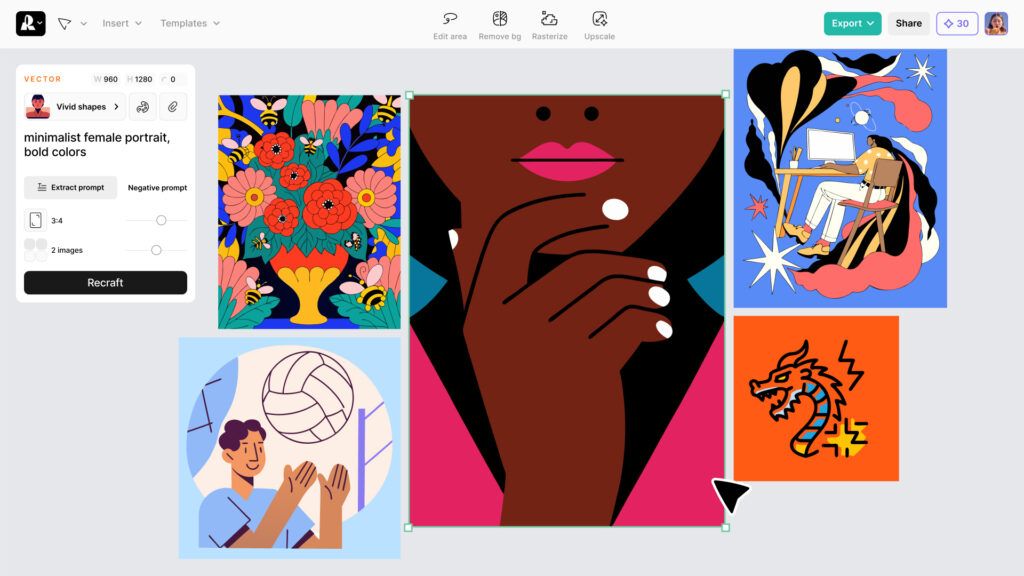
Another fundamental benefit is creating fast prototypes. AI image generators change the way designers brainstorm and save them hours of time. Instead of lengthy sketching, a designer can create several variants of one concept within a few minutes. Designers can thus experiment with various styles, compositions and colour combinations and discover new creative directions without time pressure.
A great advantage is also the option of adapting outputs to a particular brand. Most advanced AI tools let you enter precise brand parameters. Thanks to that every visual created fits the existing identity and keeps communication consistent.
Another important factor is versatility. Professional AI tools offer a wide library of design styles or let you create your own presets. That means a designer can create original images exactly according to their vision, whether it is a commercial project with an emphasis on unified branding or experimenting with new creative ideas.
"Forget the myth that AI will replace designers. All that changes is who survives. While AI tools radically speed production up, what decides a visual's real value today is only strategy and a strong concept. AI is not a shortcut for the lazy. It is a tool for professionals who want to create uncompromising branding. Success today rests on one thing alone: on precisely joining expert thinking with AI's computing power."
Michal Greguš, Team Leader & Co-Founder
The top tools for creating AI vector graphics
Modern AI-assisted tools are fundamentally changing the way vector graphics arise today. Today's solutions let you generate logos, icons, illustrations and whole visual series on the basis of a simple text brief.
Among the most significant tools are Adobe Illustrator, Recraft and Canva AI. Each of them offers a different combination of sophistication, simplicity and affordability, thanks to which a beginner and a professional designer alike can find their match.
Magic Design, an AI generator of logos, icons and styles, simple editing
SVG, PNG, PDF
Beginner – intermediate
Freemium
Freelancers, small firms, social media managers
Choosing the right tool depends on your needs. If you are looking for maximum control and professional features, reach for Adobe Illustrator. If you want to generate stylistically consistent illustrations quickly using artificial intelligence, a suitable solution is Recraft. For simple creation, the ideal entry point into the world of AI vector graphics is Canva AI.
What to watch out for when using AI in vector graphics?
Although AI tools markedly simplify creating vector graphics, using them brings certain risks and questions you should not ignore too. Artificial intelligence is a powerful helper, but to use it effectively and professionally it matters to think about the legal, ethical and technical aspects.
Is AI graphics free for commercial use too?
Many tools offer AI graphics free, but "free" does not automatically mean "without restrictions". Some platforms allow commercial use only in paid versions, others reserve certain rights to the content created.
Before using an output in a logo, an ad campaign or on a website it is therefore important to check:
Whether the output can be used for commercial purposes.
Whether the source or attribution has to be stated.
Whether the platform restricts use in reselling or adapting.
With professional projects it is always safer to work with clearly defined licence terms. Otherwise legal complications can arise, above all where branding or a brand's visual identity is concerned.
Ethics and originality
Another important question is originality. AI generators learn from existing data and can create outputs resembling styles or visuals that already exist. So it matters always to adjust the result and adapt it to your own vision.
Using AI should be a tool for supporting creativity, not replacing it. Design's genuine value lies in the concept, the strategy and the ability to communicate an idea – and that is still a person's task.
If you generate a logo using AI, for instance, it is recommended to:
Adjust details, typography or proportions,
check similarity with existing brands,
ensure the result is unique.
This way AI stays a helper rather than the author of the final work.
AI is a helper, not a replacement for a designer
Although AI can generate quality vector illustrations, it still has its limits. Not every output is technically perfect. Problems can appear with surplus nodes, imprecise curves or a needlessly complicated file structure. So it matters to know how to work with the resulting vector and optimise it if needed.
A professional designer can clean the result up, simplify the curves and prepare the file for print or the web so that it is technically flawless. AI speeds this step up, but the final check should always be done by a person.Using AI in vector graphics brings enormous possibilities. At the same time, though, it demands a responsible approach. Follow the licence terms, take care over originality and do not forget that AI is a tool meant to support your creativity rather than replace it. If you use artificial intelligence properly, though, it can be your strong, lasting partner in creating professional, quality vector graphics.
Recommended reading
The latest trends, proven practices and analyses from the digital world. Find out how to take your technology and marketing growth further.