You may already have heard of the handy tool Google Tag Manager. Without any developer involvement it lets you find out what people do on your site, how they behave — that is, gather a great deal of data for further analysis. (If you want to learn more about the tool, read our earlier article, or, if you want to understand its basic configuration, read the second part of our article on the basics of this useful tool.)
Agencies often find that clients already use the tool and have an account set up. To be able to work with its settings properly, add to them or check them, though, they need to be given access to it. Here is a simple guide to doing so.
Step 1
Sign into GTM with your email address.
Step 2
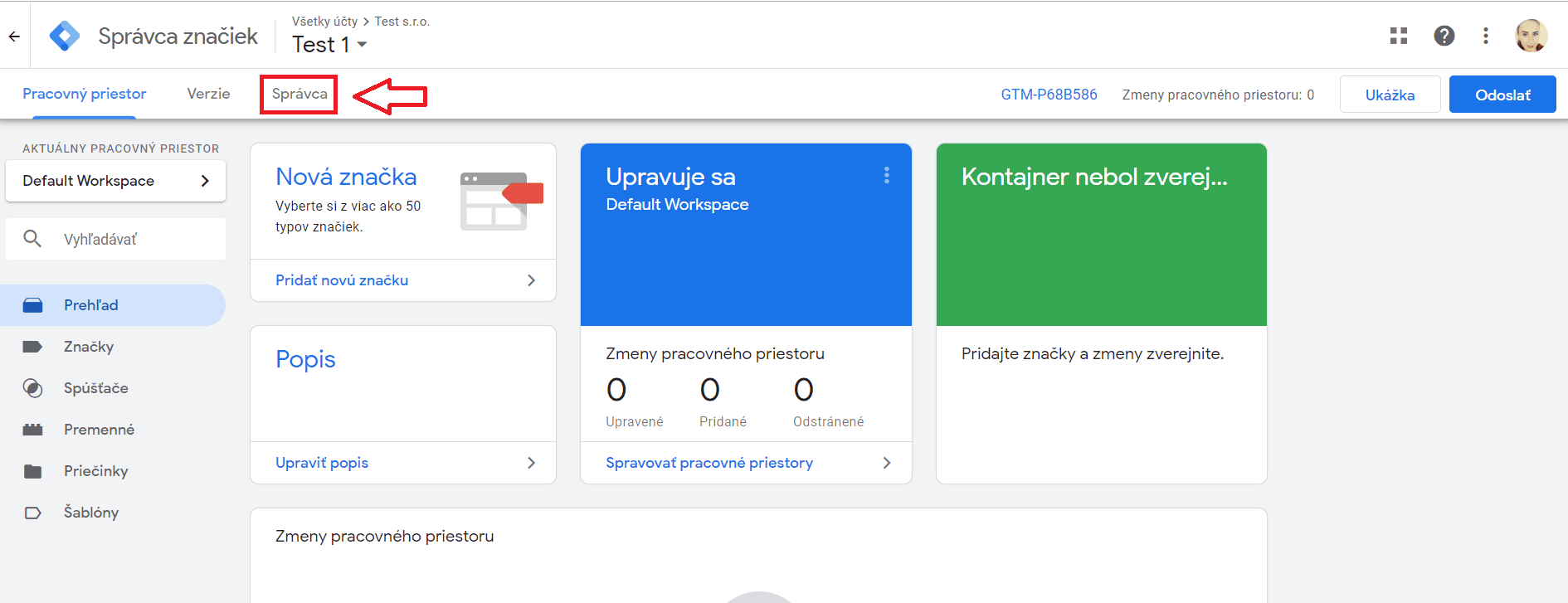
Once signed in, you need to reach the Admin tab.
Step 3
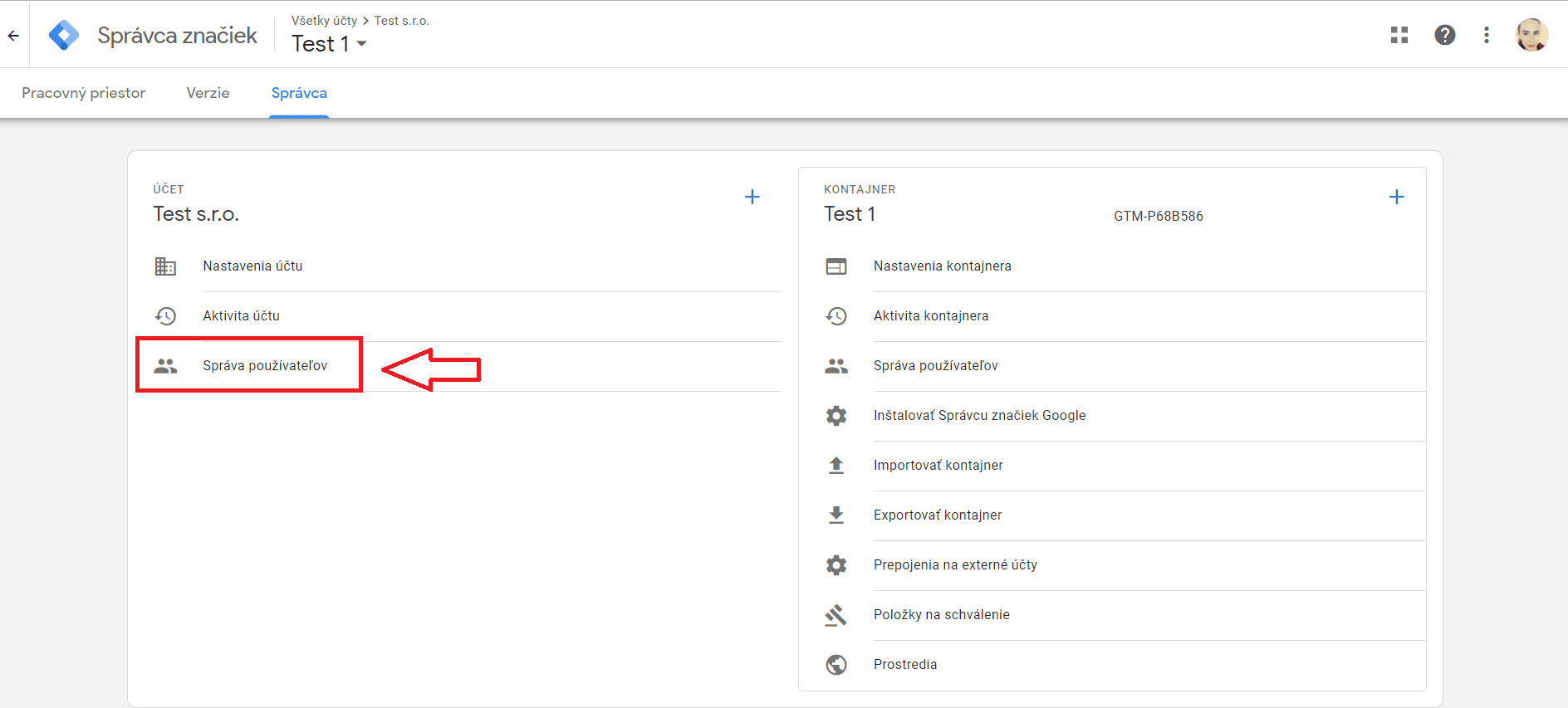
Then, at account level, click User Management.
Step 4
You reach a section where you need to click the + icon at the top right.

Step 5
Here enter the agency's email address, the one you want to grant access to, and tick Administrator rights for it.
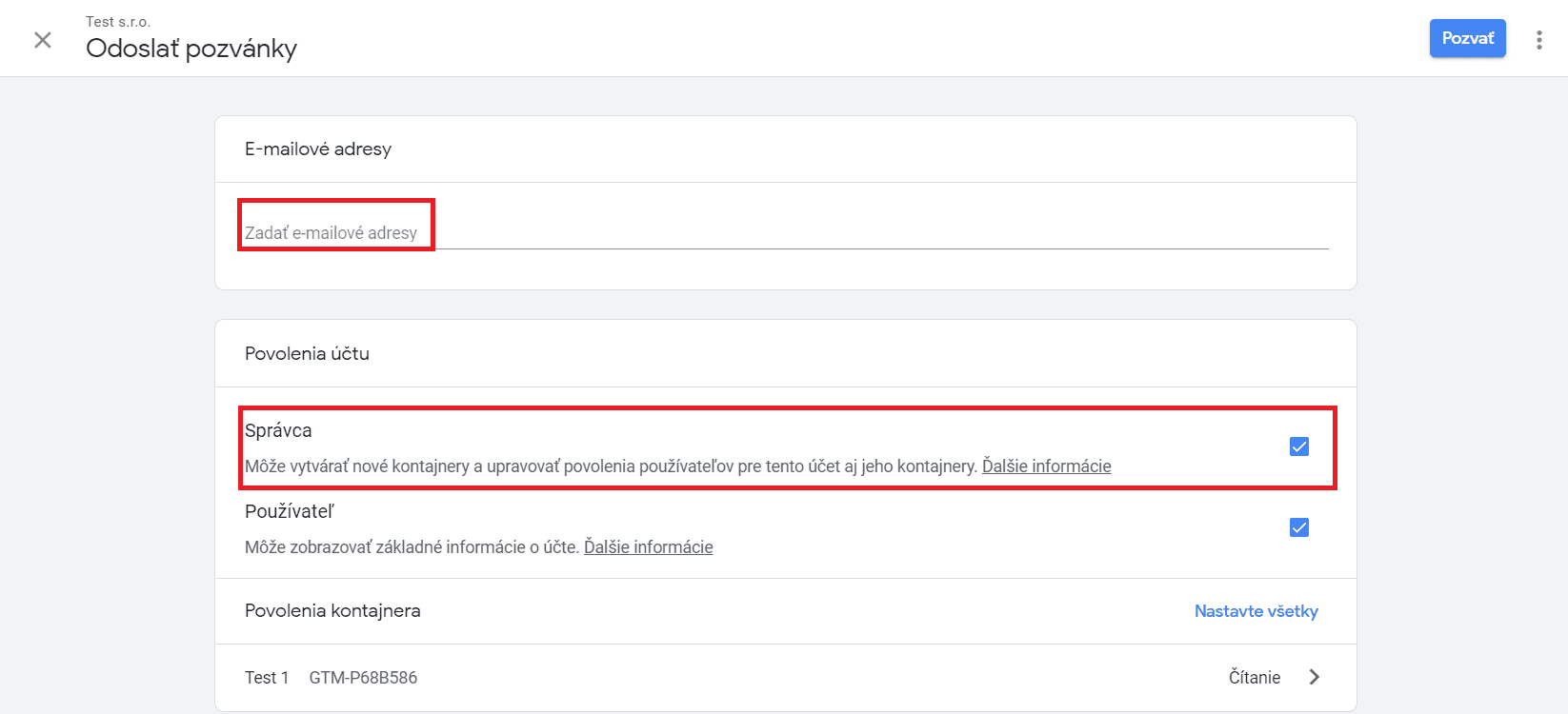
It is worth granting the agency Administrator rights, because it will then have access to every container and will also be able to publish the settings it makes.
Step 6
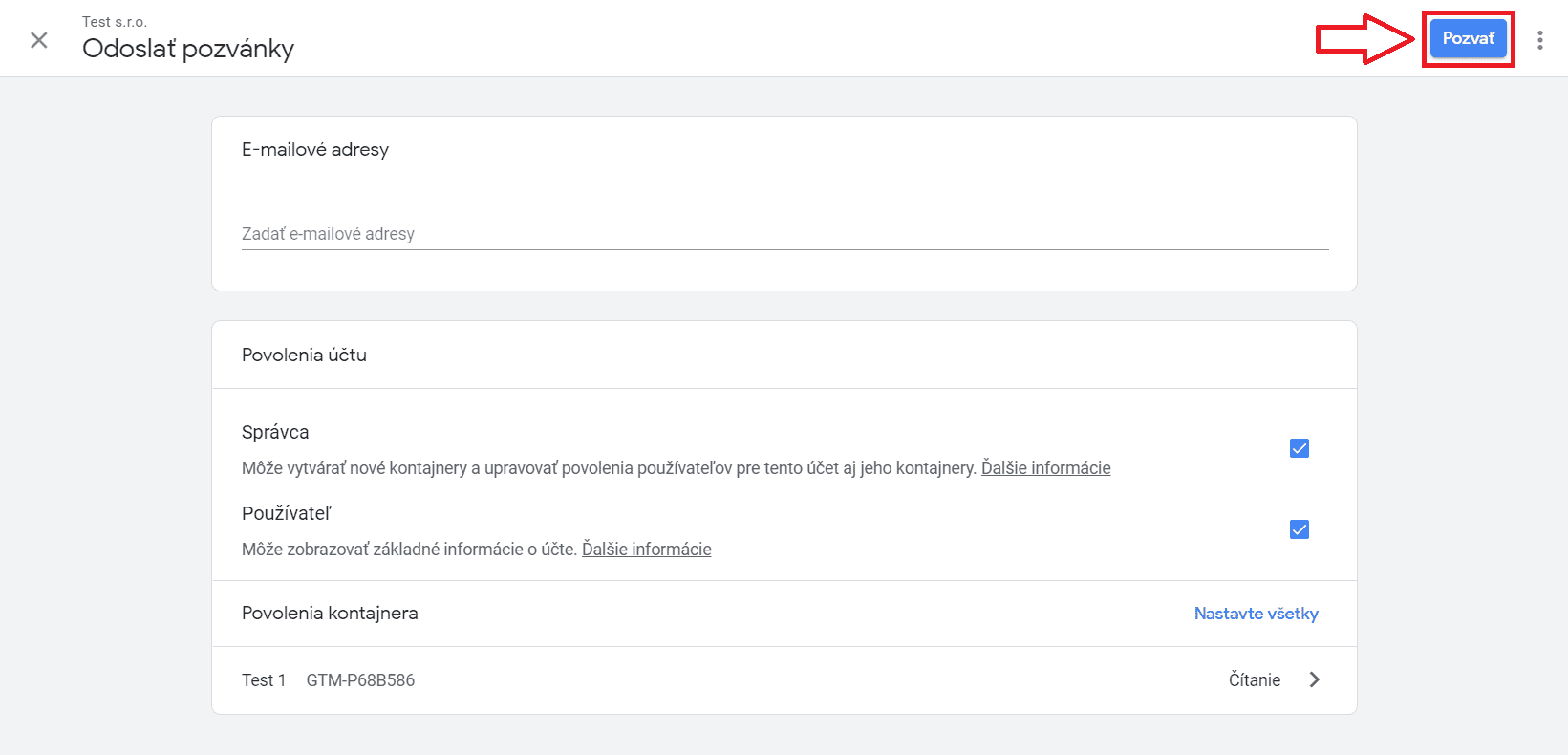
Finally the invitation has to be sent by clicking the Invite button.
The last step is up to the agency, which has to accept the invitation — and with that it has all the permissions it needs to work in this effective tool. :)