Here we are with another in our series of regular guides. We have often come across clients who could not set up a payment method themselves and add a credit card to their Google Ads account. So we decided to put together another simple guide showing how to do it.
Alongside this guide let me add another from our series, which may in turn help you grant an agency access.
But back to the guide on adding a credit card to Google Ads. :)
Step 1
Confirm your billing details – billing country, time zone and, if you have one, an introductory promo code. These initial details have to be filled in correctly, because they cannot be changed later.

Promo codes are sometimes sent by Google by email after a Google Analytics or Google My Business account is created. If you have one, it has to be entered in this section. We also recommend ticking the checkbox for receiving recommendations and tips on improving campaign performance.

Step 2
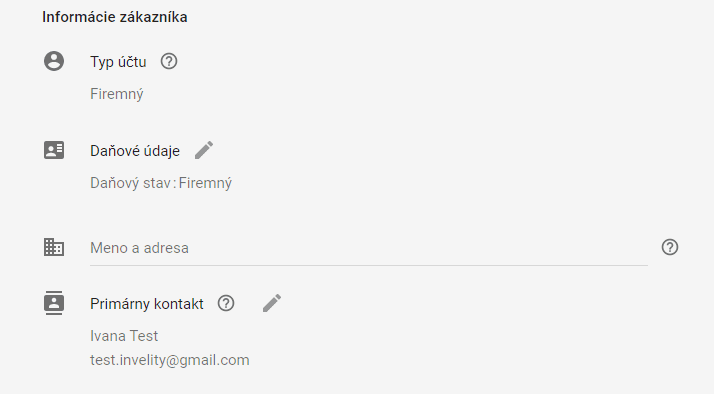
Fill in information about yourself as a Google customer. That means the account type, the business name and address and the primary contact, who will receive the invoices and whom Google will contact about any questions relating to payments.
Step 3
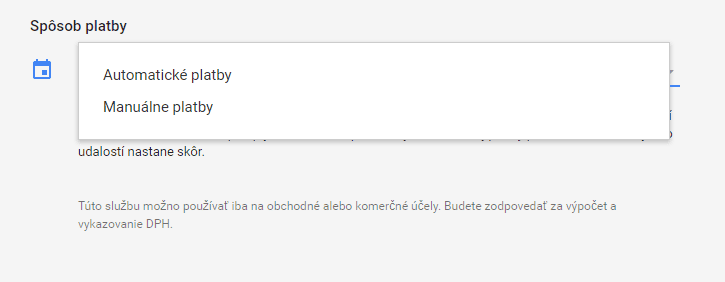
The payment method has to be filled in — whether you want to pay for Google credit manually or automatically.
With manual payments you simply top up credit to a certain amount and campaign costs are then paid from it; when the credit runs out the campaigns pause and only start again once the credit is topped up.
With automatic payments you pay once costs have accrued, through funds being taken automatically from the payment card you entered.
Step 4
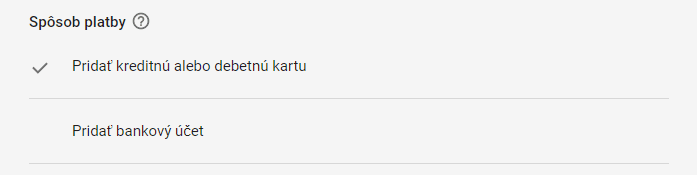
In the last step before submitting we still have to choose whether we will pay by direct debit by entering a bank account, or simply add a credit or debit card.
And so it is not forgotten, for these details to be submitted and saved you have to tick the checkbox and accept the Google Ads terms of service.

To confirm all these steps we finally click the submit button.

With these few simple steps you will add a credit card to your Google Ads account without trouble.