Where to find your social media statistics

Social media is an excellent place for presenting yourself, your brand, your products and other things that matter.

Claudia Blišťanová

Claudia Blišťanová

Idea & Social Media Consultant

7. December 2021

2 min

Beginner

Social media is an excellent place for presenting yourself, your brand, your products and other things that matter. But besides publishing content, assessing it matters too. Your statistics can help with that, showing you interesting data about your posts. They will show what genuinely succeeded and what did not, who the target group you communicate with is, and which publishing times suit you best.

Contents


Facebook

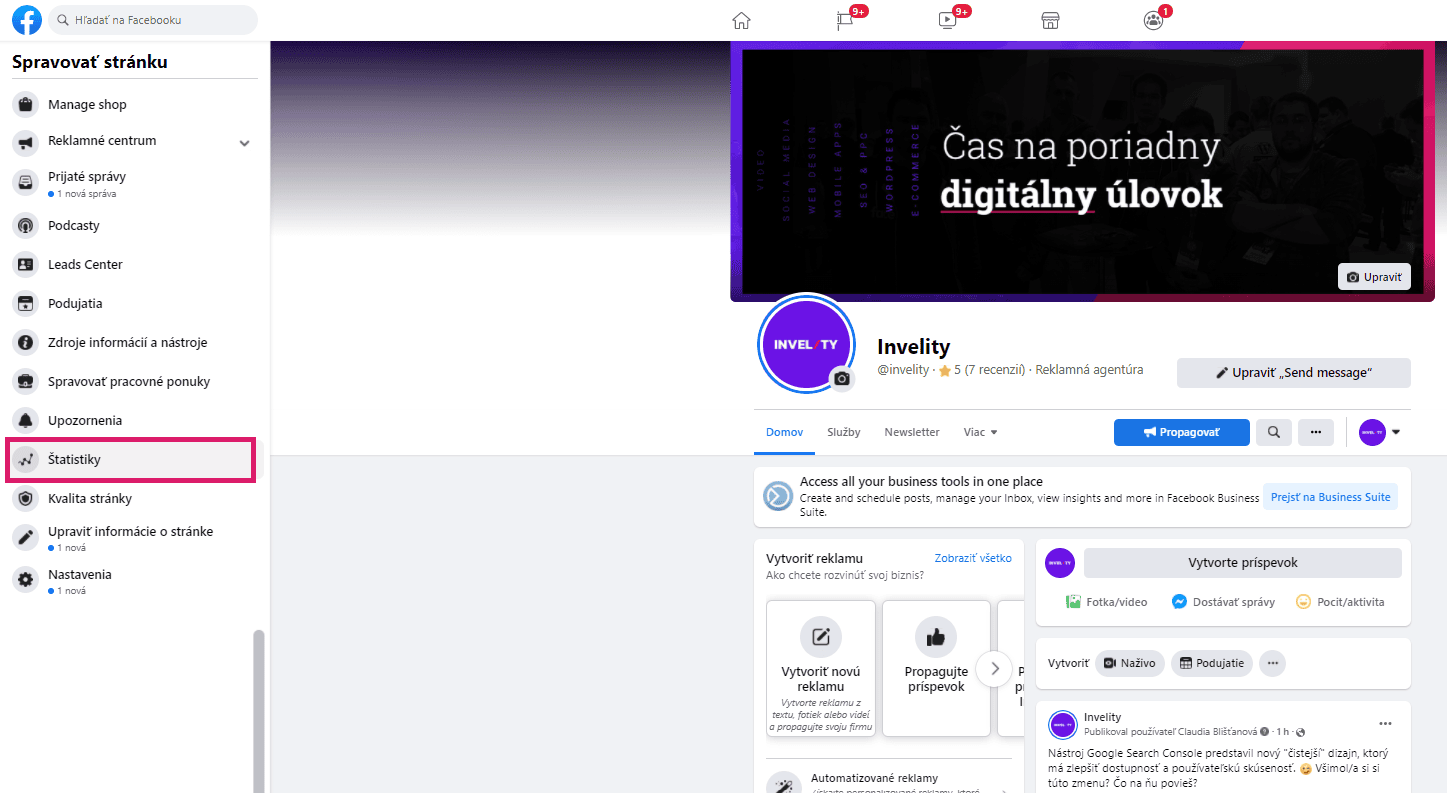
On Facebook you will find a page's statistics, once opened, in the left-hand toolbar.

Facebook – Insights item in the left page management panel of the Invelity page

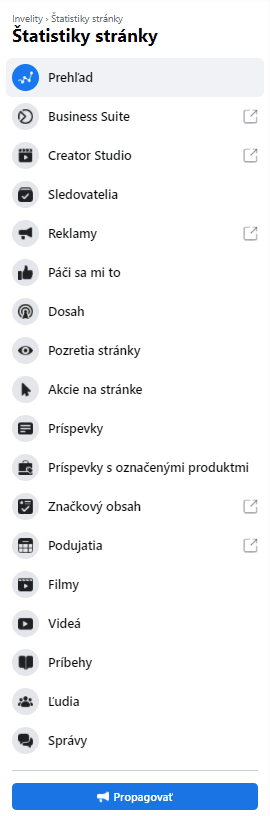
In the statistics you will find:

Facebook – Page Insights menu with overview, reach, posts and people

Facebook's statistics tell you things about your page and your published posts such as:

  • a general overview of every important metric over 7 days,
  • when and how many page likes came in during the month,
  • what reactions your posts won and how many,
  • what reach your posts have,
  • how many page views there were and when,
  • an ad overview,
  • post scheduling,
  • demographic data about the target group reached,
  • an overview of individual posts,

and a great deal of other helpful information. 

Instagram

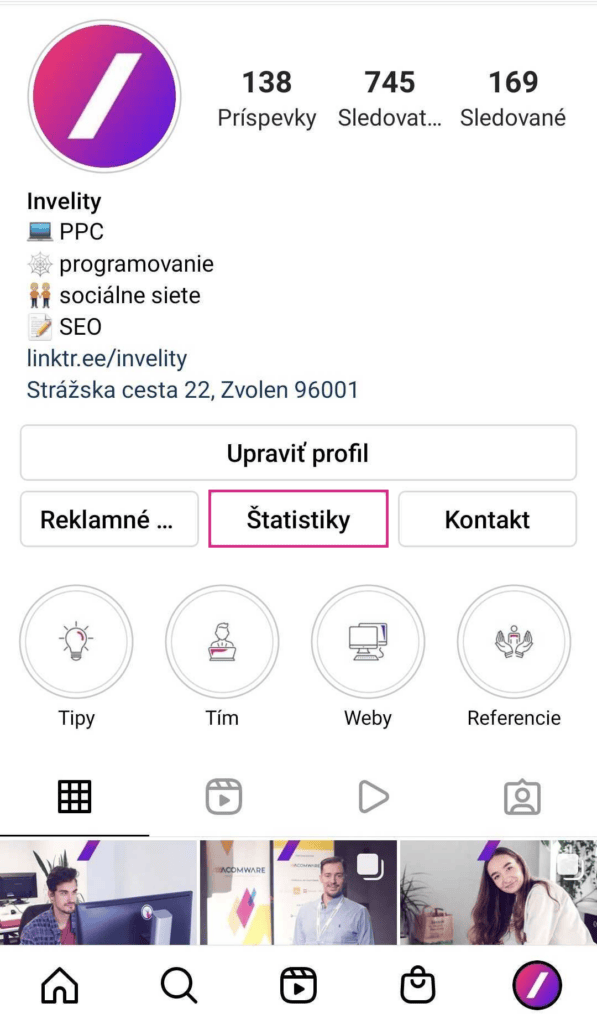
Instagram's statistics are found in your professional profile, directly beneath the Edit profile button. 

Instagram – Insights button below Edit profile on the Invelity professional profile

The statistics tell you: 

  • the reach of posts and stories,
  • the number of accounts reached,
  • who your audience is (demographic data),
  • impressions,
  • profile activity,
  • your most successful stories, reels or posts,
  • follower count, 
  • the most active times.

LinkedIn

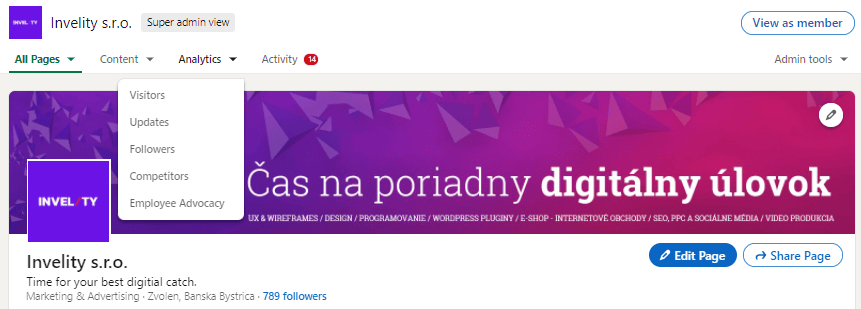
LinkedIn's statistics are found under Analytics.

LinkedIn – Analytics menu on the Invelity company page with visitors and followers

You will learn: 

  • an overview of page visitors and their job roles,
  • an overview of posts,
  • how many followers were gained and on which day,
  • a competitor overview.

YouTube

The statistics are found by clicking your profile picture at the top right.

YouTube – profile menu with the Your channel option

Then click Customise channel

YouTube – Invelity channel with the Customise channel button

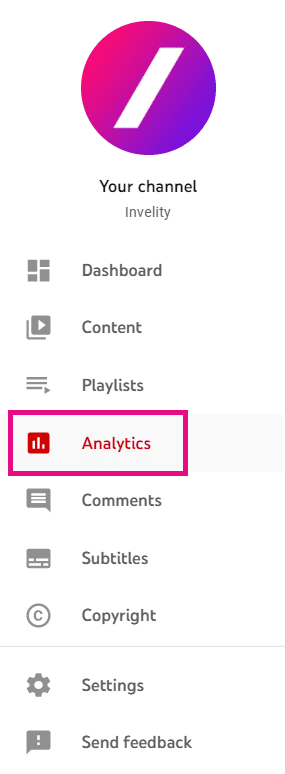
In the left-hand menu you will find Analytics

YouTube Studio – left menu with the Analytics item highlighted

The analytics themselves tell you: 

  • an overview of videos,
  • watch time,
  • reach,
  • which platforms visitors reached your YouTube video from,
  • interaction with published videos,
  • demographic data.

Every platform sets its statistics out differently, but as you may have noticed, some important metrics recur everywhere: reach, interaction, fans (subscribers), demographic data and the general overview. It is worth tracking this data regularly and adapting your communication as it develops.

If the subject is unfamiliar to you, do not hesitate to get in touch — we would be glad to help you grow on your social media.

Recommended reading

The latest trends, proven practices and analyses from the digital world. Find out how to take your technology and marketing growth further.