Universal Analytics was for many years the tool for tracking and analysing website data. In July 2023 it was replaced by the new Google Analytics 4. Although Universal Analytics is now a thing of the past, the historical data in it is still available to you. But not for long. On 30 June 2024 Google will permanently remove all its data. Back it up before it is gone for good.
What do you need historical data from Universal Analytics for?
Without historical data you will get nowhere in strategic planning and optimising marketing campaigns. It will let you go on:
analysing long-term trends
visitors' behaviour patterns
measuring campaign performance over time
tracking trends in customers' seasonal behaviour
Backing up data from Universal Analytics
You have several options for backing up data from Universal Analytics:
The simplest option, suitable for smaller websites, is a manual export to PDF. With this type of export you cannot filter the data.
If you wish to keep the ability to filter, you can use a manual export to XLSX or CSV format. That way you keep basic options for filtering and interpreting the data.
An export to Google Sheets makes sure you can go on working with the historical data (comparing it with new data from Google Analytics 4, for instance). You keep the option of basic filtering.
Using BigQuery. This is an advanced method of exporting all the data. It is used above all by advanced users. Connecting to cloud storage is a fairly complicated process for which we recommend using professionals' services.
How can we help you?
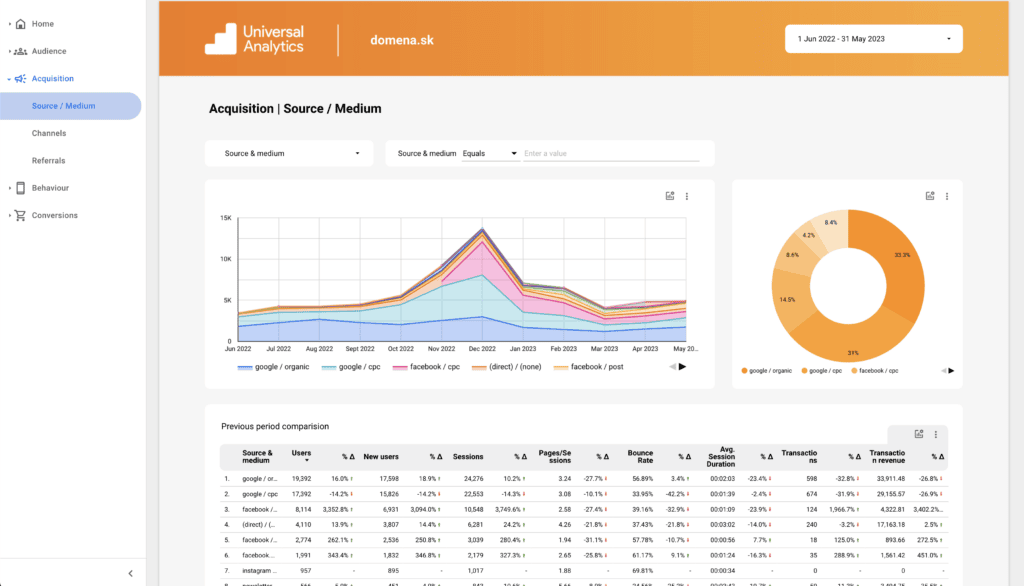
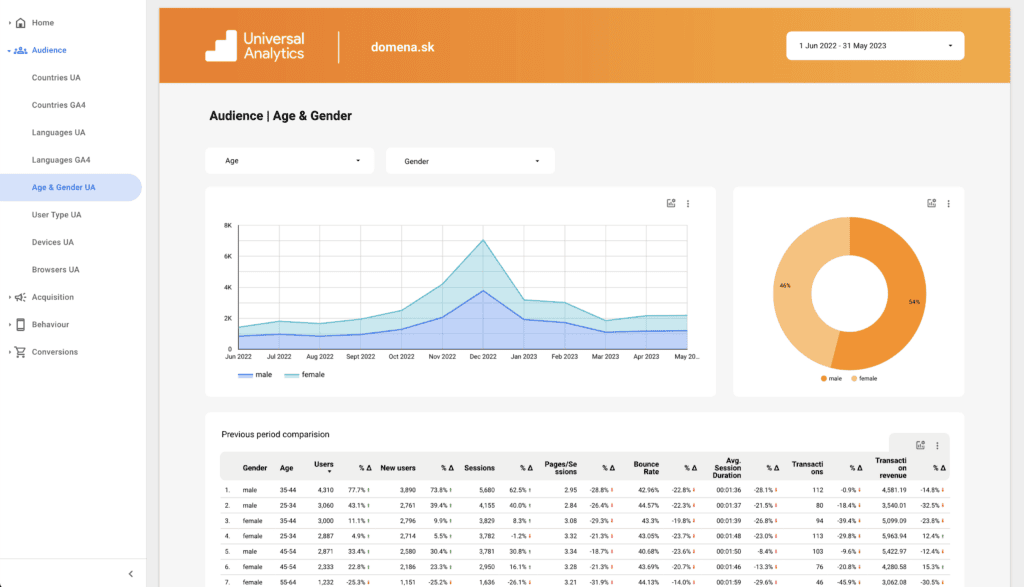
Use our option of storing data securely. You get archiving together with simple, clear processing through the data visualisation tool Looker Studio. Besides that you will also have the raw data available in XLSX format.
We will make the processed data available to you online. Data in this format can be used effectively for better setup, comparison and evaluation of campaign success.
Backing up Universal Analytics data for one account
€250
Backing up Universal Analytics data for several accounts
€250 + €50 for every further account
Creating a backup of historical data from Universal Analytics is essential for going on successfully with Google Analytics 4. Thanks to archiving you make sure the move to the new system is smooth without losing important data. Do not leave it to the last minute.