Business Suite holds everything in one place. It combines the core features of Facebook and Instagram — scheduling and creating posts, talking to fans, basic analytics, and creating and optimising ads. But if you prefer the Business Manager interface as we do, this little guide is exactly for you. :)
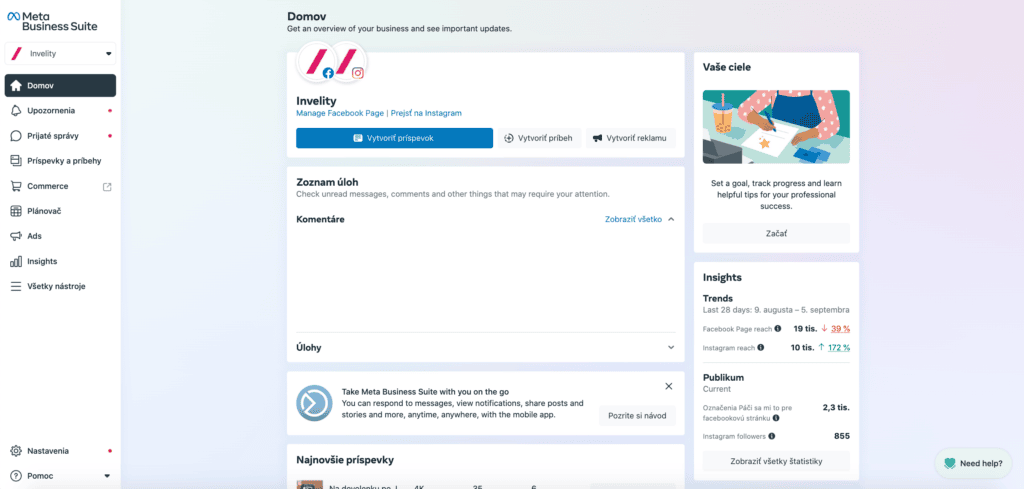
1. This is what the new Business Suite interface looks like
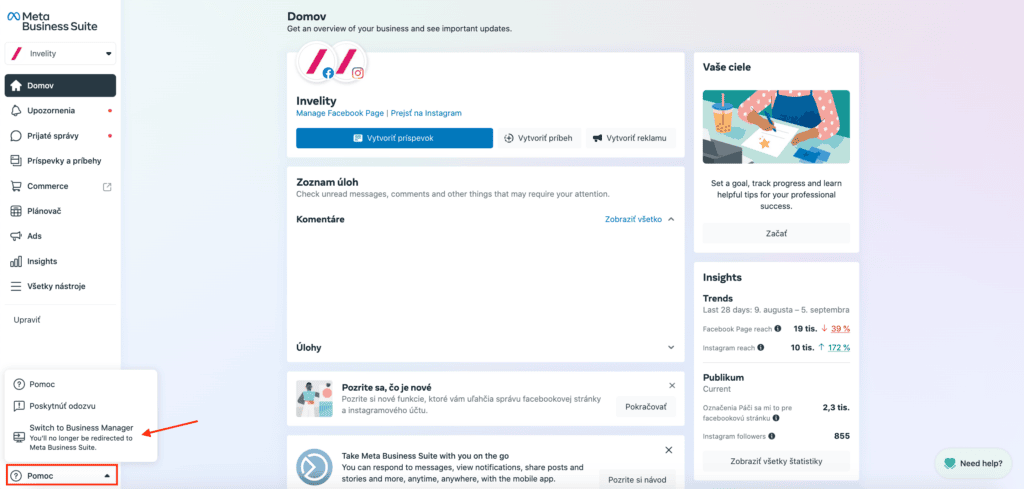
2. Click the option to go back to the old BM interface
At the bottom of the left-hand panel, under Help, you will find the option to switch back to the old BM interface.
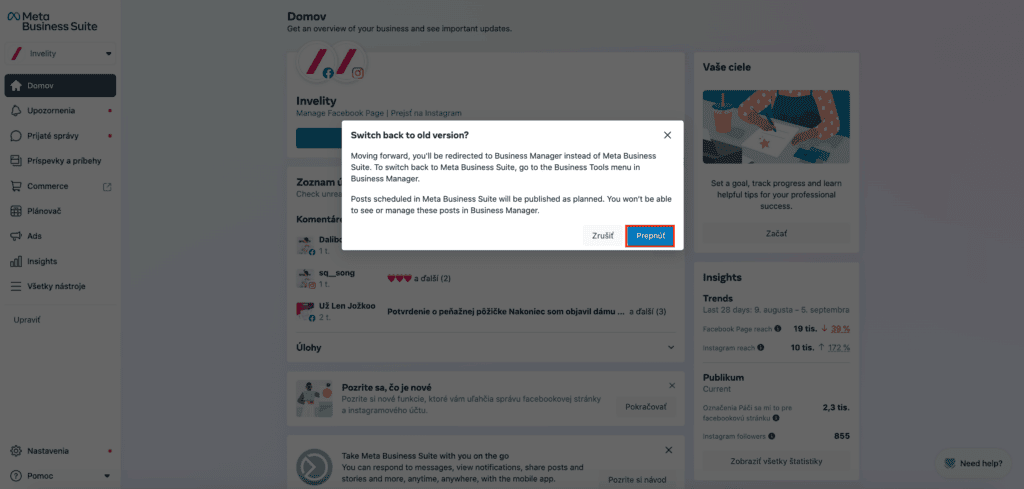
3. Confirm the switch to the old version of BM
Here all that remains is to confirm the switch to the old version of BM.
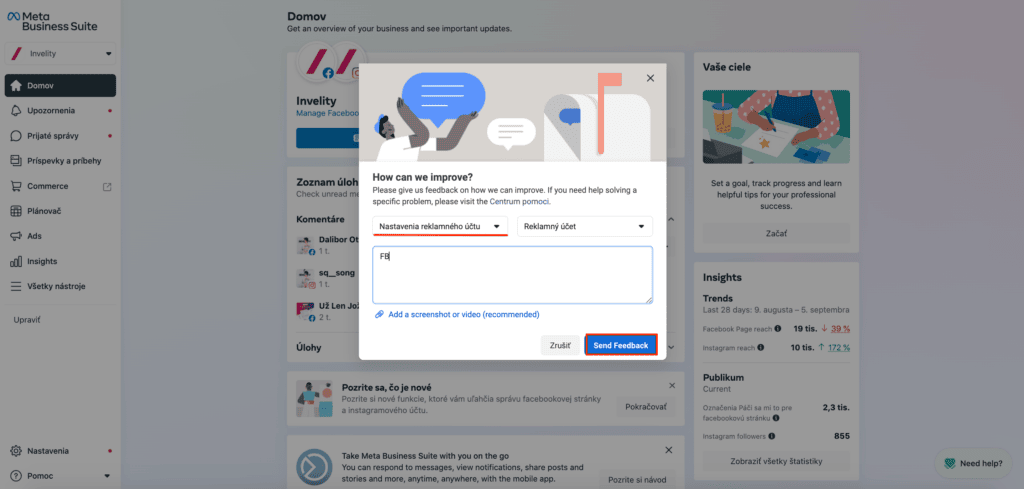
4. Give your reasons for switching back to the old BM
FB will want a reason for switching to the old version, so simply pick from the options and click Send Feedback.
And that is how simply you switch the interface from Business Suite back to Business Manager.


