Once your agency has all the access it needs — to the Facebook business page and the ad account — it can work at full tilt on content and campaigns, focused on reaching the goals you have set.
The fundamental campaign, above all for e-shops, is setting up dynamic remarketing. With dynamic remarketing we show customers exactly what they were looking at over the past few days, or added to the basket without reaching the final stage — that is, without buying. For the agency to set up this campaign type it needs, besides the feed (the record of products, IDs, prices and so on), access to your FB pixel too, on the basis of which we can build precise audiences of people who viewed your products and did not buy, or who were on your site, according to their activity.
Once the pixel is set up on FB, adding access for the agency is very simple. We will show it in the next few steps. The best way is to share it through a Partnership with the agency within Business Manager, just as when we share access to a page or an ad account.
1. Getting to Business Settings within Business Manager
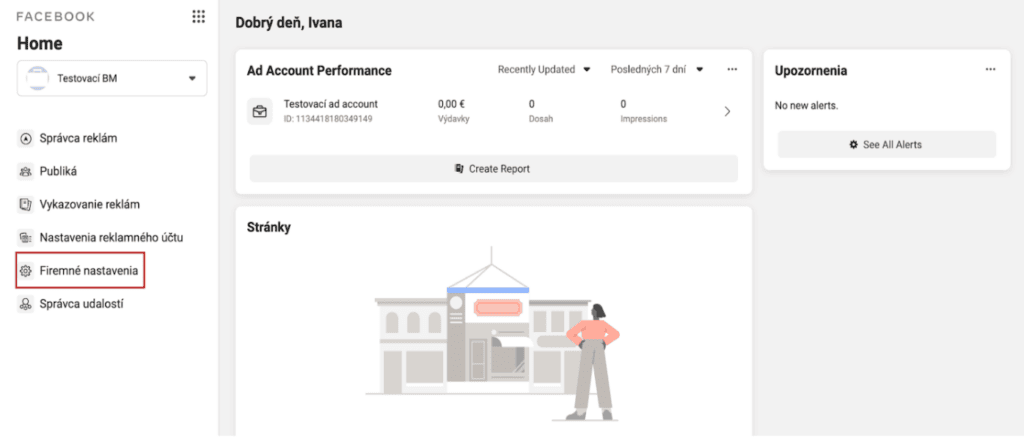
If you are on the home page of your Business Manager, you need to reach Business settings in the left-hand menu.
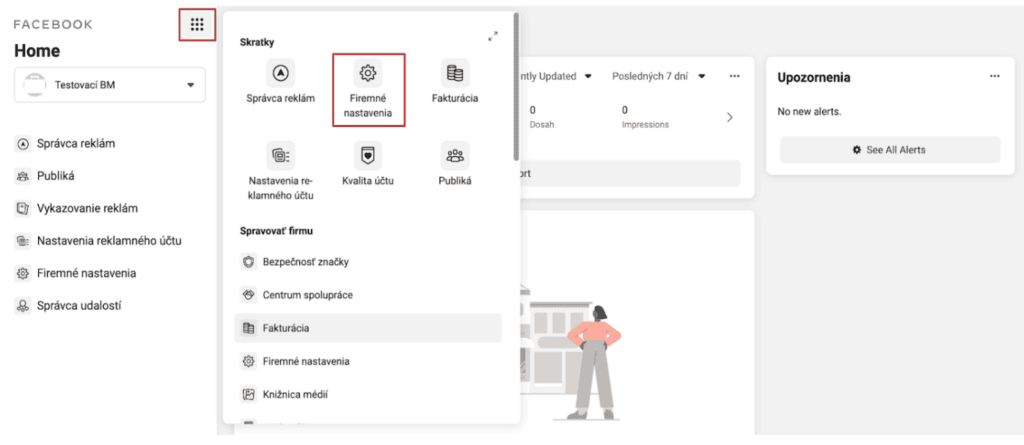
Or you can reach this section through the nine-dot icon.
2. Within Business Settings, go to the Partners section
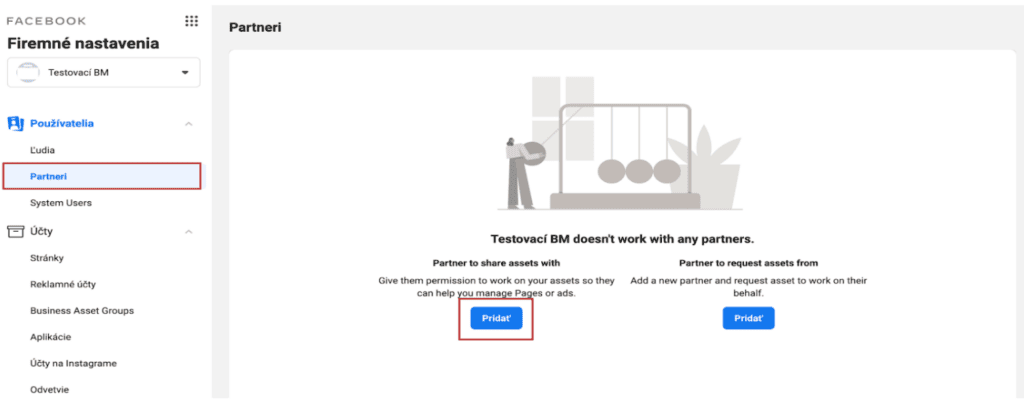
You get here easily through the left-hand menu again, clicking Partners under the Users section.

3. Share access with your agency or partner
Once in the Partners section, click the option to share access with a partner — Partner to share assets with.
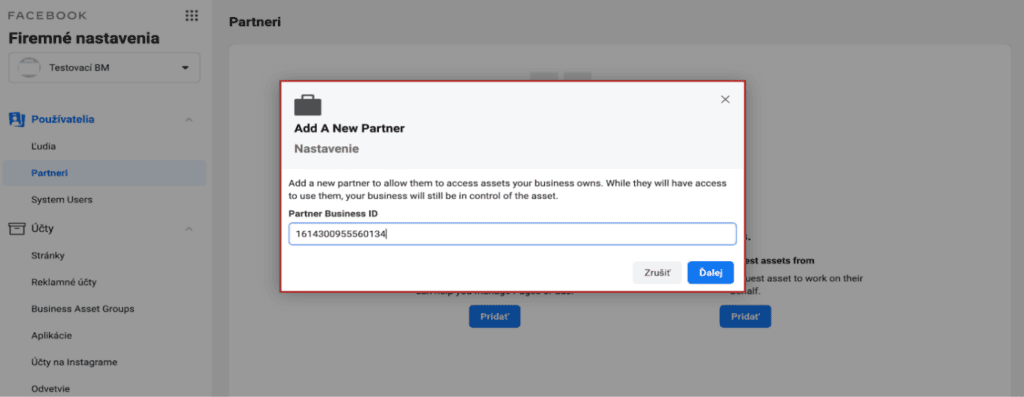
Clicking Add opens a window where you have to enter the Business Manager ID of your partner or agency (Invelity ID: 1614300955560134) and click Next.
4. Share your Facebook pixel with the agency
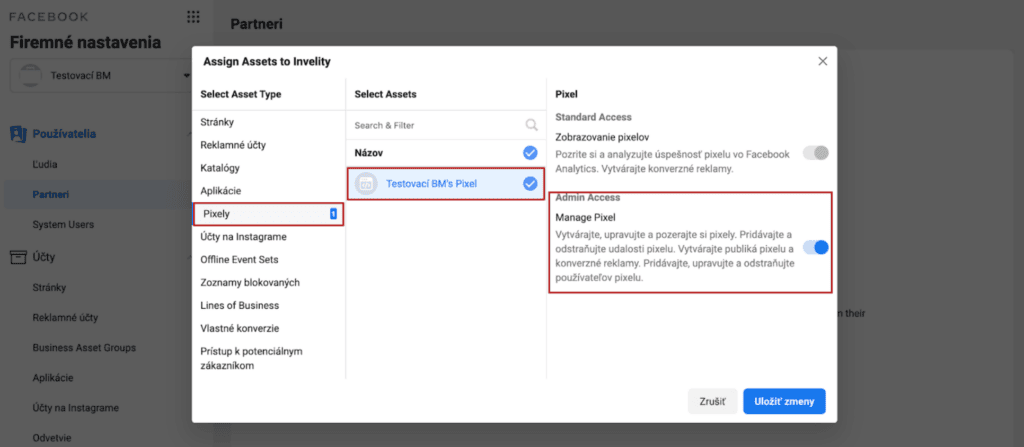
In this step we choose the asset — the pixel you want to share with the agency — grant it the relevant permissions and hit Save changes.
With the Facebook pixel the agency has to be given the highest permissions, Admin, so that it can control all the pixel's settings, connect it to the product catalogue and build audiences.
After these steps the agency will see your Facebook pixel within its own Business Manager and can work with it. Simple enough, wasn't it? :) If you get stuck at any step, or need other help, do get in touch — we are glad to help. :)