Besides approving access to your Facebook business page, the agency also needs access to your Facebook ad account for the advertising features to work properly. We will show you in a few steps how to arrange it easily.
There are two possibilities. The first: if you have not yet created a Business Manager, that will be the first step you have to take. What Business Manager actually is, why it matters and how it is created is something we have already explained. You can go back to it and read it in our guide "How to create a Facebook Business Manager".
The second possibility: you already have a Business Manager and want to work with an agency and share access to your ad account with it. We definitely recommend going the Partner route within Business Manager.
1. Getting to Business Settings within Business Manager
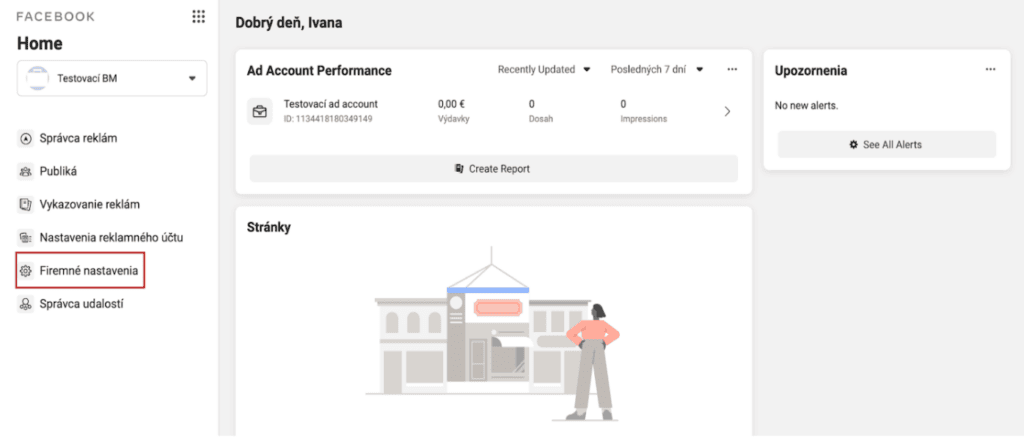
If you are on the home page of your Business Manager, you need to reach Business settings in the left-hand menu.
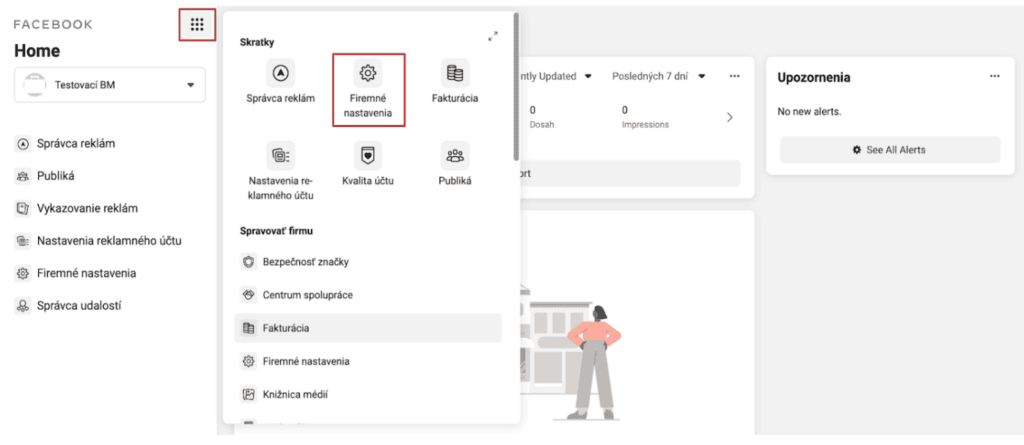
Or you can reach this section through the nine-dot icon.
2. Within Business Settings, go to the Partners section
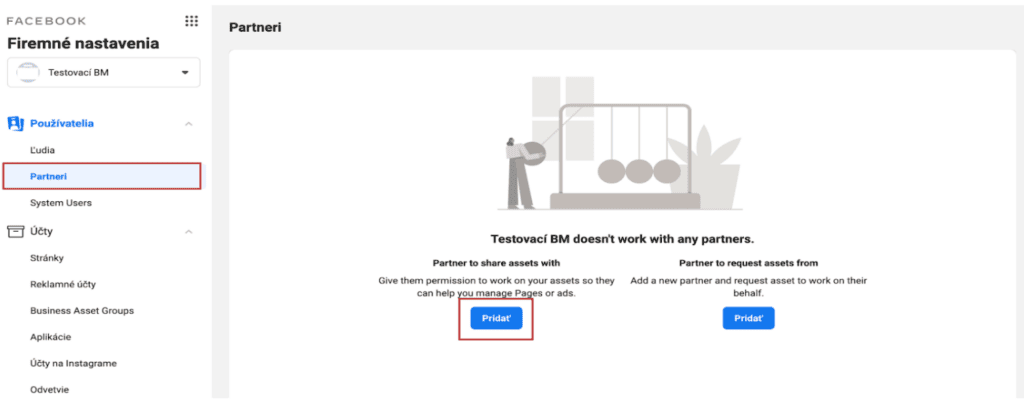
You get here easily through the left-hand menu again, clicking Partners under the Users section.

3. Share access with your agency or partner
Once in the Partners section, click the option to share access with a partner — Partner to share assets with.
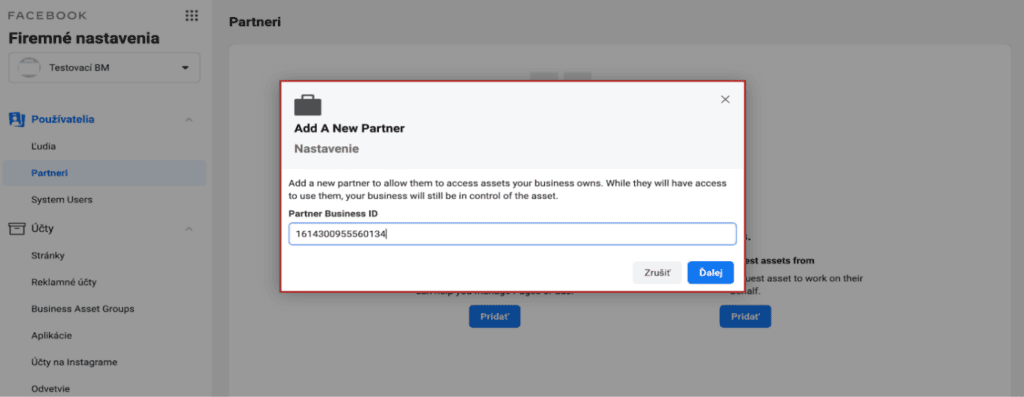
Clicking Add opens a window where you have to enter the Business Manager ID of your partner or agency (Invelity ID: 1614300955560134) and click Next.
4. Share your ad account with the agency
In this step we choose the asset — the ad account you want to share with the agency — grant it the relevant permissions and hit Save changes.
It is best to give the agency the highest permissions, Admin, which also lets the agency see the Payments section within the ad account and respond and help better when problems arise.

But of course, if you would rather the agency could not reach the Payments section, all the standard permissions under Standard Access will be enough for it.

After these steps the agency will see your ad account within its own Business Manager and can work with it. Simple enough, wasn't it? :) If you get stuck at any step, or need other help, do get in touch — we are glad to help. :)