
Veronika Kseňáková
Certified PPC Specialist
In the digital age we live in, online advertising platforms are an inseparable part of marketing campaign strategies. Google Ads and Facebook are among the most popular channels, offering tremendous scope for targeted ad delivery and reaching prospective customers. If you own an ad account, whether on Google Ads or Meta Ads (Facebook), it matters to have access to your invoices. In this article we will show where you can download them simply and quickly.
First it is important to get to the Billing section, which you will find on the left-hand side. It may happen that your Meta Ads interface looks a little different. That is because of the constant changes Facebook introduces, which reach users gradually.
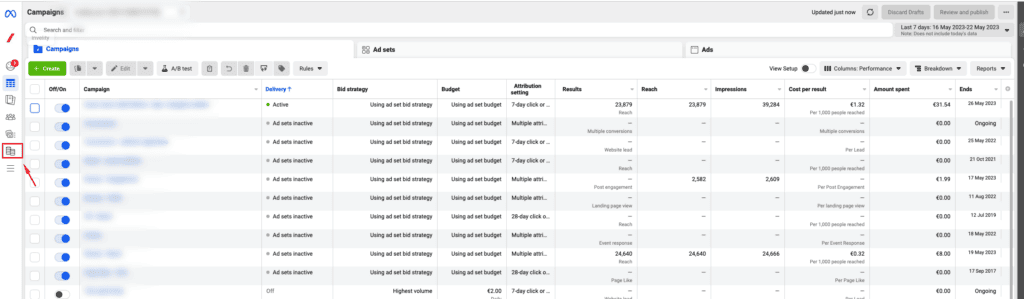
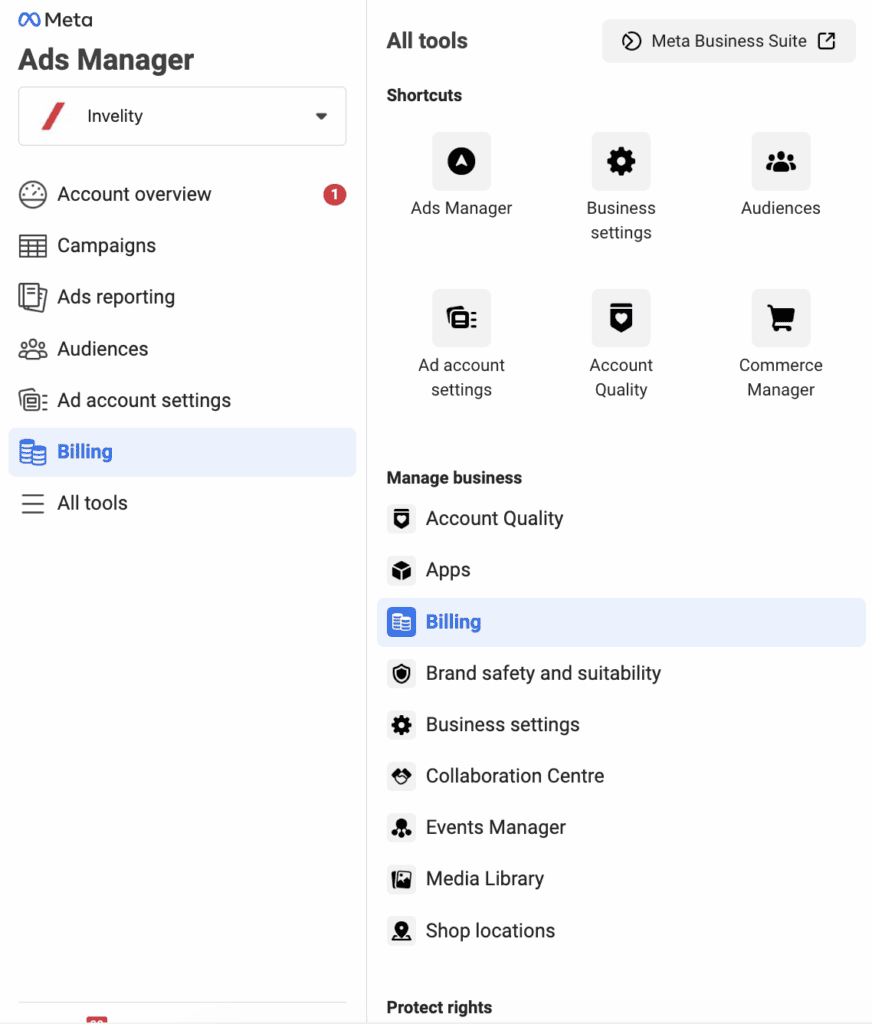
You can also click through there by pressing the three horizontal lines showing the full menu. There again you will find Billing.
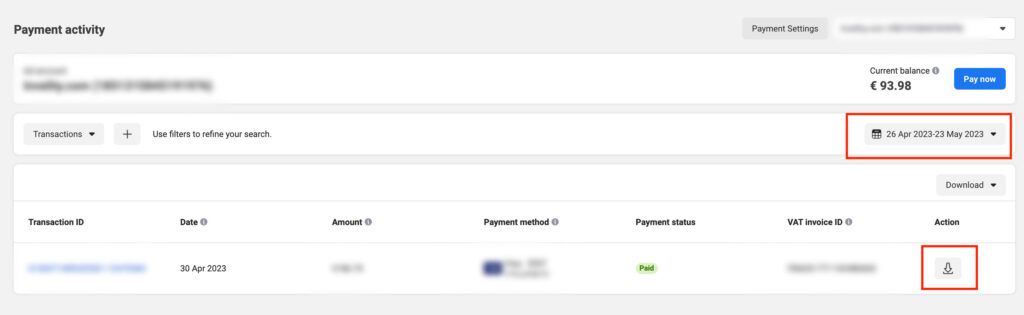
You will then reach the Payment Activity interface, where you can see all your invoices for the chosen period. In the highlighted date picker you can change the period you wish to see invoices for, and after clicking the download symbol, also highlighted, the invoice will be saved to your computer.
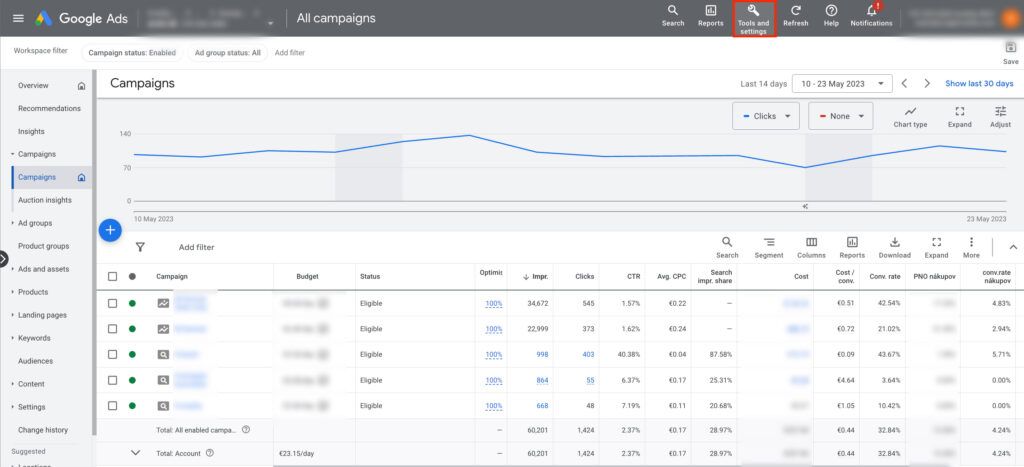
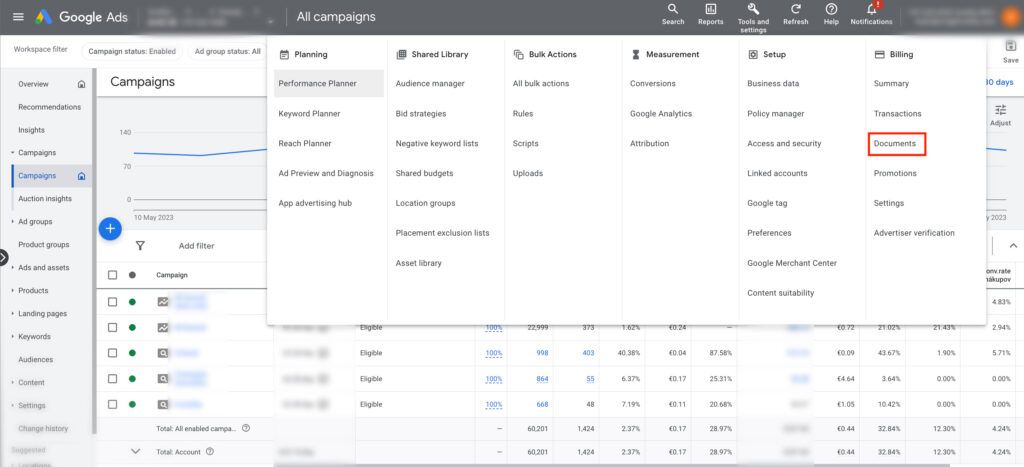
In Google Ads you will find your invoices in the Tools and settings section.
After opening this section plenty of options will appear. To view an invoice you need to get to the Billing section and specifically to Documents.
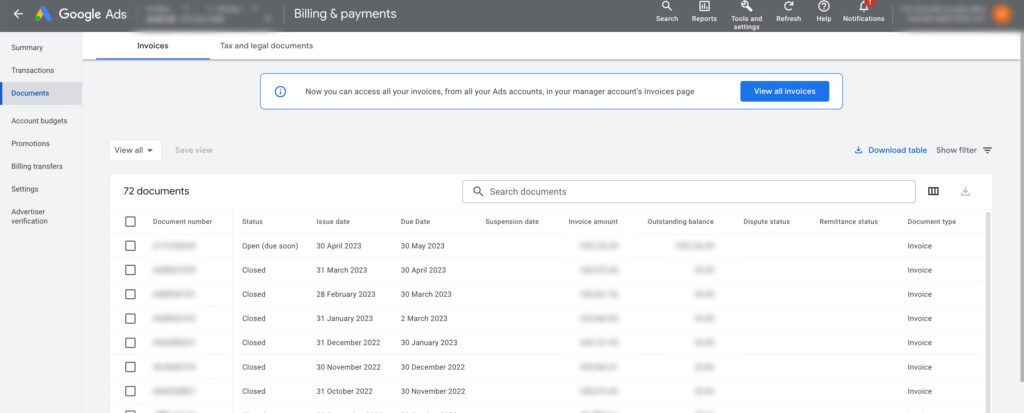
After opening this section you can see all your invoices, which you can view one by one by opening them.
Access to invoices is essential for every advertiser. After reading this simple guide you know where you can download both Facebook and Google Ads invoices. Should you still have trouble, do not hesitate to turn to us.

Veronika Kseňáková
Certified PPC Specialist
The latest trends, proven practices and analyses from the digital world. Find out how to take your technology and marketing growth further.
And don't forget to check out Invelity Extras – you'll find a marketing glossary, useful tools and plugins to make your work easier!
Invelity Extras


