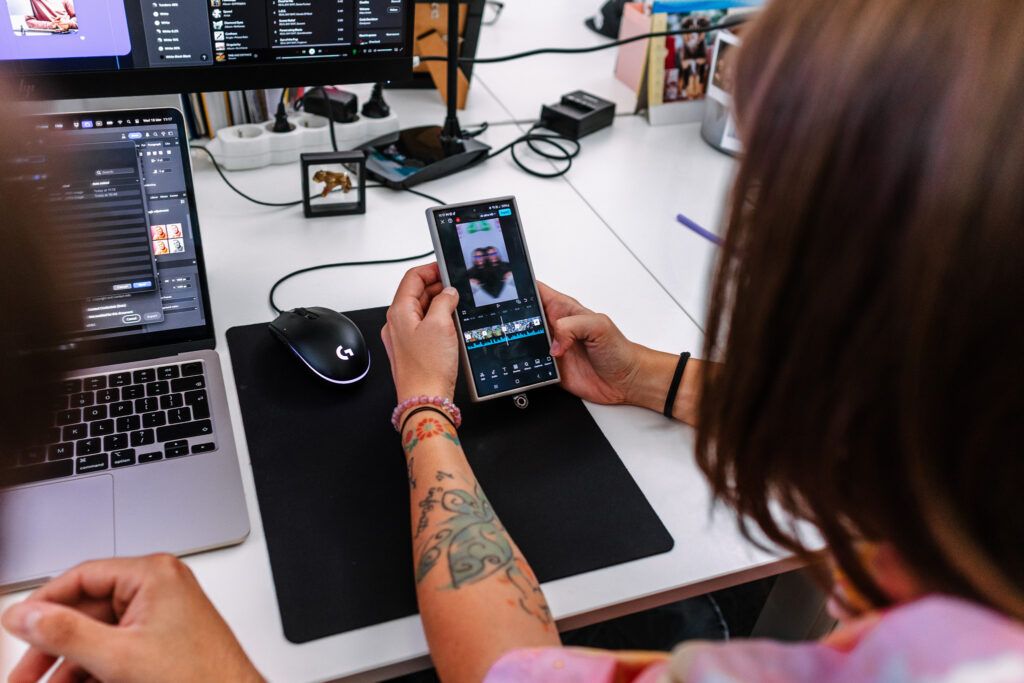
Video content dominates social media and ever more people prefer visual content to text. Creating videos need not be complicated or costly. Even with minimal resources you can create content that catches attention, entertains and sells. What matters is knowing who you are making the videos for, what your goal is and how to use the social network's specifics to your advantage. What works on YouTube need not automatically work on TikTok, and vice versa. That is why it matters to grasp the differences and adapt content to the particular audience and format.
Whether you are a beginner content creator, a businessperson, a marketing specialist or simply someone who wants to communicate better on social media, this article will show you how to start effectively. So let us look together at how to bring your ideas to the screens of thousands or millions of users of Facebook, Instagram, TikTok and YouTube!
Creating video content today is not just a trend. It is a strategic investment in your brand's future. Videos have long since stopped being the preserve of large firms with big budgets. Quite the opposite — small businesses too can achieve enormous organic reach and a better connection with their community using simple videos. So why is investing in videos genuinely worth it?
1, Video generates higher engagement than static posts
The statistics speak clearly. Videos achieve a markedly higher interaction rate than images or text posts. People naturally react to dynamic content, watch it longer and react to it more often with a comment, like or share. Videos can convey emotions in a short time, explain complex subjects or catch attention.
2, Algorithms prefer video content – whether that is Reels, Shorts or TikToks
If you want your content to have a chance of reaching the largest possible audience, you have to "play by the rules" of the given social network. And those rules currently favour video content markedly. Instagram pushes Reels to the fore, YouTube supports Shorts and TikTok is built entirely on short videos. These platforms' algorithms rate video formats as more interesting and favour them in recommendations and in users' feeds.
3, Videos raise credibility and help build a brand
Video content is unique in that it lets you present not only a product or service but a brand's personality and values too. Through video you can show people the behind-the-scenes of your work, introduce the team, convey customer stories or educate your audience. It is exactly this authenticity and human dimension that raises trust. People much prefer buying from brands they perceive as "real" and likeable. Video lets you build an emotional connection much faster and more strongly than any other content format.
If what puts you off creating videos is the feeling that you need expensive equipment or professional experience, we have good news for you: today a mobile phone and a basic plan are enough. Social media values authenticity and naturalness, and that is exactly what you can achieve with minimal resources. Let us look at what you will need to start and which tips will help you create effective, attractive video content.
What you need to start
A mobile phone or a simple camera
Modern smartphones today can record video in 4K quality, offer various modes and have image stabilisation, thanks to which your videos will come across more professionally. If you have the option of using a simple digital camera or an action camera such as a GoPro, that is an excellent bonus, but it is not a requirement.
A tip: before filming, always check the lens (cleanliness!) and set the highest possible resolution.
A free video editor
Post-production is a key part of creating videos, but it need not be complicated. For beginners we recommend:
CapCut – ideal for TikTok, Instagram Reels and YouTube Shorts, with plenty of effects and templates.
InShot – a very intuitive app for editing videos, including adjusting the aspect ratio for various platforms.
Canva Video – excellent for fast editing, adding text and simple animations.
Instagram Edits – if you edit directly in the app, the new Reels tools will ease your work without needing another app.
Basic light and sound
Good light and clean sound markedly raise your video's quality:
Light: natural daylight is ideal. Film near a window or outside in the morning or early evening, when the light is softer.
Artificial light: if that is not possible naturally, invest in a simple ring light, which is available for a few dozen euros.
Sound: if you mean business, a lapel mic costing a few euros can dramatically improve your video's sound quality compared with an ordinary phone microphone.
Tips for planning a video
Before you press record, do not forget to prepare an outline or storyboard – it will save you time when filming and editing.
A script and storyboard
Even short videos deserve planning. Prepare a simple script and storyboard (simple sketches of the scenes) so that you do not lose the main idea and keep viewers' attention. If you are stuck for ideas or structure, feel free to use ChatGPT, which will help you quickly create an outline, write dialogue or propose a storyboard.
Music and visuals
Quality music and visual effects can give your video the right "flair":
Music: use free or licensed music libraries.
Visuals: free video banks such as Pexels Video and Pixabay offer beautiful shots you can add to your videos to vary or illustrate the subject.
Every social network has its specifics. Above all when it comes to videos' format, length and style. If you want to achieve maximum effect, uploading one universal video to all platforms is not enough. Ideally, adapt the content to the given network's dimensions, length and style of communication. The right adjustment markedly affects how the algorithm and users alike receive your video.
Facebook video - recommended parameters
If you plan to publish videos on the social network Facebook, it matters to adapt to the preferred parameters. Only that way will you maximise reach and audience engagement. The length of videos on Facebook can differ depending on where the user watches them. For mobile devices it is recommended that a video last from 5 seconds to 10 minutes. But the rule is: the shorter and punchier, the better for catching attention amid fast scrolling. When watching on desktops the optimal length is shorter still, ideally in the range of 5 to 16 seconds, since users on large screens expect fast content.
As for format, Facebook supports several aspect ratios, but the best results are achieved by videos with the standard widescreen ratio 16:9 (landscape) or the vertical ratio 9:16 (portrait), which is ideal above all for watching on mobiles.
Do not forget subtitles either! As many as 85% of users watch videos on Facebook without sound, so adding subtitles is practically essential to ensure your message is grasped in silent mode too.
Instagram video - feed, stories, reels
Instagram markedly favours short, dynamic videos. To succeed on Instagram it matters to adapt your videos not only in content but technically too. For videos in the feed and Reels it is ideal to use a vertical format with a resolution of 1080 x 1920 pixels and an aspect ratio of 9:16. This format naturally fills a mobile device's screen, thereby maximising the viewer's experience and raising the likelihood that your video will not be overlooked. It matters to realise that all videos uploaded to the feed are today automatically categorised as Reels too, which means they have a chance of reaching a wider audience through the discovery section. So it is worth bearing in mind while creating that the video should be fast, entertaining and dynamic.
Instagram Stories have the same technical requirements as Reels: 1080 x 1920 px (9:16). Their purpose is a little different, though. Stories are ideal for informal communication, behind-the-scenes moments or fast announcements. One sequence in Stories can last a maximum of 90 seconds, and longer stories are automatically split into several parts.
As for technical details, Instagram supports the video formats MP4, MOV or GIF, with a maximum file size of 4 GB. Although the platform lets you add various effects, filters and music directly in the app, it is recommended to have the basic edits ready before uploading so as to ensure consistent content quality.
A TikTok video that catches attention
TikTok is ruled by speed, creativity and authenticity. To succeed on TikTok it is not enough just to upload a video. You have to know how to create content that immediately catches attention and engages the audience. The ideal video length is between 15 and 60 seconds, although the app lets you upload longer videos too (up to 10 minutes). Even so, the rule is that shorter, more dynamic videos have a much higher chance of going viral, because they better match the pace of content consumption on this platform.
TikTok prefers the vertical format with an aspect ratio of 9:16 and a resolution of 1080 x 1920 pixels. This format is optimised for mobile devices and ensures the video naturally fills the viewer's whole screen, thereby maximising their attention.
The key elements of a successful TikTok video include:
Dynamic editing
Subtitles
Viral music and sounds
On TikTok the rule is that naturalness and authenticity take precedence over perfect production. Even a simple, spontaneously filmed video can reach thousands or millions of viewers within a few hours, as long as it can catch attention, entertain or inspire.
YouTube - a classic video vs. Shorts
YouTube is the largest video platform in the world and offers creators two main ways of reaching an audience. Those are traditional long videos and the short formats known as Shorts.
Shorts are YouTube's answer to the phenomenon of TikTok and Instagram Reels. They are short vertical videos with a maximum length of 60 seconds. The aspect ratio is 9:16 and the recommended resolution is 1080 x 1920 pixels. Shorts are ideal for creating fast, punchy and often viral content. This format serves above all to gain a new audience.
On the other hand, classic videos on YouTube are aimed at more detailed, more valuable content. These videos are usually horizontal (an aspect ratio of 16:9) and vary in length, from a few minutes to hour-long formats. Classic videos suit:
detailed guides and how-to videos,
product reviews,
vlogs,
interviews,
educational content,
case studies or documentary formats.
The advantage of longer videos is more room for building trust, authority and deeper relationships with viewers. Besides that, YouTube favours videos people watch to the end.
The ideal strategy for today is a combination of both formats:
use Shorts to attract new viewers,
and classic videos to keep them and convert them into loyal fans or customers.
Table: an overall summary of recommended formats and video lengths for social media
Platform
Video format
Resolution
Aspect ratio
Recommended video length
Notes
Facebook
Feed video
1280 x 720 px
16:9 or 9:16
5 seconds – 10 min (mobile)5–16 seconds (desktop)
Subtitles strongly recommended
Instagram
Feed/Reels
1080 x 1920 px
9:16
15 – 90 seconds
Videos in the feed automatically show as Reels
Instagram
Stories
1080 x 1920 px
9:16
up to 90 seconds (one video)
Automatically split into several stories with longer content
TikTok
TikTok video
1080 x 1920 px
9:16
15 – 60 seconds (more too, but shorter is better)
Dynamism and viral music are key
YouTube
YouTube Shorts
1080 x 1920 px
9:16
up to 60 seconds
Ideal for fast, viral content
YouTube
Classic video
1920 x 1080 px
16:9
2 minutes – 1 hour+ (optimally 7–15 min)
Room for more detailed content and building authority
Recommended tools for editing video
When creating videos for social media, editing the content matters as much as the filming itself. Good post-production can markedly raise a video's quality and appeal. All the tools we will now introduce suit complete beginners too.
CapCut
CapCut is one of the most popular apps for fast, effective video editing, above all for content on TikTok and Instagram Reels. The app offers an enormous number of filters, effects, transitions and templates that will help you quickly create professional-looking videos without complicated learning. Another advantage is the built-in library of music and effects, which are often adapted directly to current trends on TikTok. CapCut is available free for Android and iOS.
InShot
InShot is among the most intuitive tools for editing video from a mobile. It is ideal if you need to cut a video quickly, adjust its dimensions to various platforms' requirements or add music, text and filters. The app supports simple cutting, joining clips, adjusting video speed and creating collages. InShot is an outstanding choice for creators who want a quality result without complicated settings.
Canva Video
Canva Video is part of the popular Canva platform. This tool is ideal for social media managers or for anyone who wants to create visually attractive videos very simply. You can simply combine video clips, text, images and animations into impressive videos suitable for feeds, stories or ads. Canva also offers ready-made templates optimised for various platforms, which markedly speeds the whole creation process up.
Edits
Edits is a new intuitive video editing tool available directly on mobile devices. It is designed so that videos can be edited quickly and creatively without needing a complicated interface. Edits offers a rich selection of effects, filtering, transitions and tools for working with text and music. The app is ideal for those who want to edit content on the move and at the same time want the option of creative expression without losing quality.
Tips for better videos
Creating videos that genuinely catch attention and win an audience is a combination of creativity, technical preparation and the right strategy. Even small improvements can dramatically affect the result. Here are proven tips on how to raise the quality and effectiveness of your videos on social media:
1, Start with a strong hook – the first 3 seconds decide. Online you have very little time to catch a viewer's attention. The first three seconds decide whether the viewer stays or scrolls on. Start with a question, a shocking piece of information, an interesting scene or an emotion. Avoid a slow opening; get straight to the point!
2, Use text and subtitles. A large share of users watch videos without sound. Adding subtitles and text will ensure your main message is comprehensible in silent mode too. Besides that, subtitles help structure the content better and raise the chance that the viewer watches the video to the end.
3, Time the publication of your videos well. The right timing of publication can markedly raise your video's reach. Social media analytics will let you find out when your audience is most active.
4, A catchy video description. A video's description is a way of optimising your content's discoverability. Use relevant keywords, hashtags and apt phrases. A good description not only helps algorithms categorise your video properly but at the same time motivates viewers to interact.
If you are looking for further ideas on how to enrich your content and create even better videos, we recommend reading our other blogs too, for instance Where a social media manager draws endless inspiration or How to get photographs free. Creating videos for social media need not be complicated or expensive. With these basics you can create content that catches attention and brings results. All it takes is a mobile and a good idea and you can get going!
Recommended reading
The latest trends, proven practices and analyses from the digital world. Find out how to take your technology and marketing growth further.