Do you want to give your clients access to clear data about their websites' performance in Google search? With Google Search Console you will manage it with ease!
Do you want to give your clients access to clear data about their websites' performance in Google search? With Google Search Console you will manage it with ease! This tool is key for anyone interested in SEO (search engine optimisation) who wants to improve their site's visibility in search results.
Adding a client to your Search Console account lets them track important metrics such as impressions, clicks, positions in search and much more. In this simple guide we will take you step by step through the process of adding a client to your Google Search Console account.
Getting started
1. Sign in to Google Search Console at search.google.com.
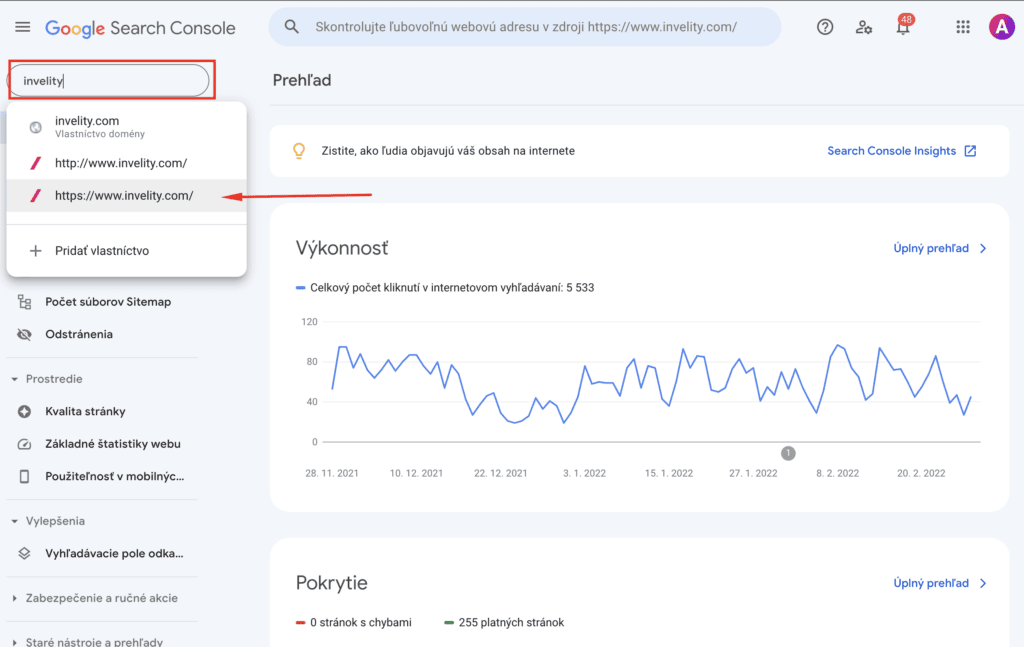
2. Choose the site/property you want to add the user or agency to.
In the top left corner choose the website (property) you want to grant the client access to.
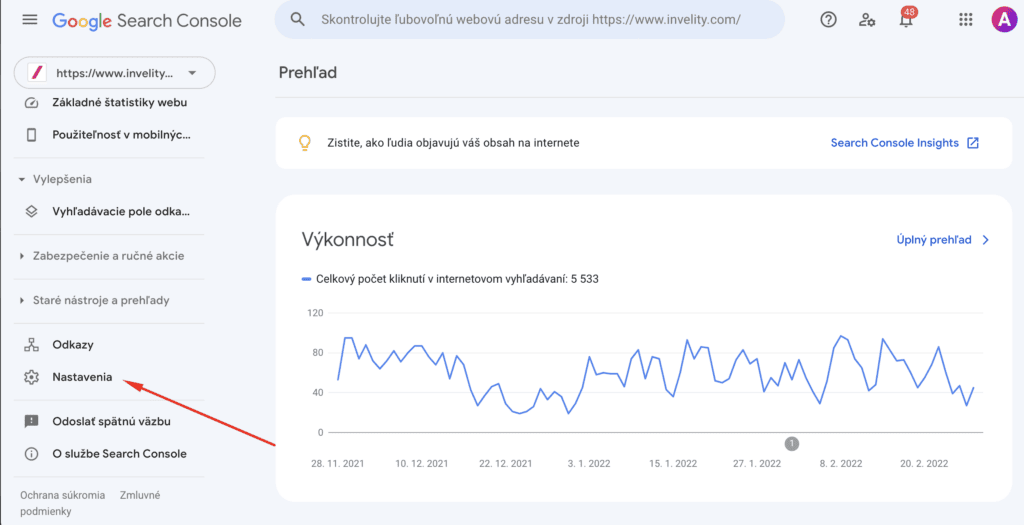
3. Scroll down in the left-hand vertical menu to the "Settings" option.
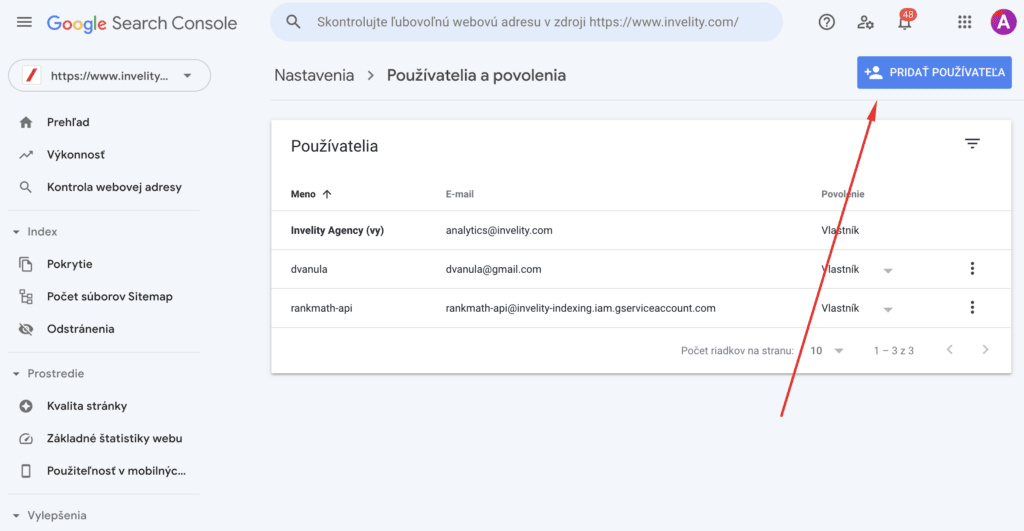
4. In the "Settings" section choose the "Users and permissions" option.
5. Then click the blue "Add user" button.
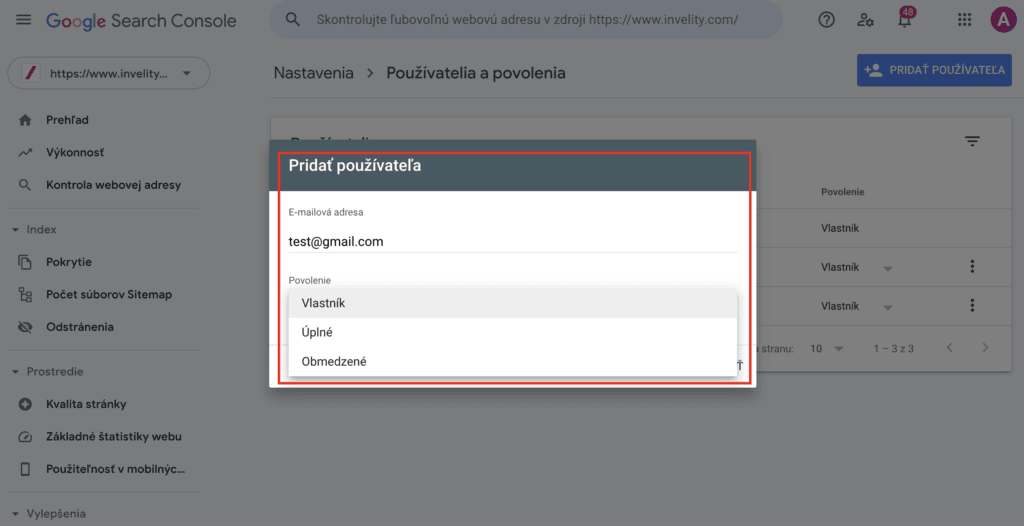
6. In this step you enter the email of the user you want to add and the access level. You can only add an email with a Google account. If no Google account has been created under that email, you will not be able to add the user.
That user will then be able to access data about your site's organic Google traffic. In the case of a verified owner, the user can connect such a Search Console account with Google Analytics 4 (a guide to connecting). Google Search Console can likewise be connected with Google Ads (a guide to connecting) to analyse when your organic results show alongside paid ones. Find out too how to verify a site in Google Search Console.